Post a room or apartment listing
A listing is how you advertise a place you have. It appears in other people’s search results around its address, and anyone who is interested can message you from it.
The whole thing is one form. You can leave most of it blank and come back later, but a listing with photos, a rent figure and a few lines of description gets far more messages than one without.
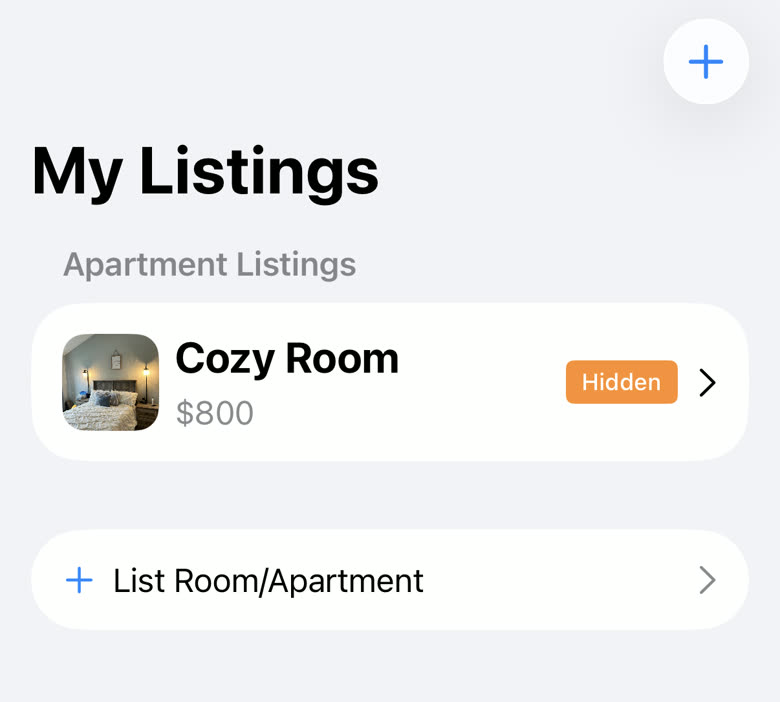
Open the My Listings tab.
Third along the bar at the bottom.
Tap List Room/Apartment.
Or the plus button in the top right. Both open the same form.
Add the address under Where.
Tap the address row and search for the place. Pick it from the results rather than typing it out, so Roomie knows where to put the listing on the map. Turn on Hide exact address if you would rather people saw only the area until you have spoken to them.
Add photos.
Tap Add Photos. Drag them into the order you want; the first one is the cover and is the only one most people will see before deciding whether to tap. You can add a video too.
Fill in the basics.
Listing type (room, apartment, house), a listing name, the monthly rent, and a security deposit if there is one. The name is what people read in search results, so something like "Cozy room near campus" beats "Room".
Add the lease details, layout and house rules.
Move-in date and lease length, then beds, baths and square footage, then pets, smoking, LGBT+ friendly and furnished. All optional, but people filter on them, so a blank answer can keep you out of someone’s results.
Write a description.
What the place is like, who else lives there, what the area is near. This is the part that turns a view into a message. There is a wand button if you would rather have a first draft written for you.
Tap Publish Listing.
The button is fixed to the bottom of the form. If something is missing you will get a message saying what; the one thing you cannot publish without is a photo or a video.
Open the new listing and tap Confirm Location.
This is worth doing straight away. It puts a confirmed marker on your listing, and people can filter their search to confirmed listings only, which means an unconfirmed one is invisible to them.
You cannot publish without at least one photo or a video. If Publish Listing does nothing except show an error, that is usually why.
In a hurry? Tap "Fill the form for me" at the top of a new listing. Give it a photo and the address and it fills in a first draft of the whole form, which you can then correct.
Confirm Location only works while you are at the place, within about half a mile of the address. If you are not there yet, publish now and confirm next time you visit.
Closing the form uses a menu rather than a plain X, so a mis-tap will not throw away what you have typed. Choose Discard Changes only if you mean it.
Still stuck? Get in touch and we'll help.