My feed is empty
An empty feed almost always means your search is narrower than the area you are in. Two settings control it: how far Roomie searches around your location, and the filters you have set on top of that.
Both live in Feed Settings, and you can see the effect of every change before you save it.
Open the Listings tab and tap the sliders icon in the top left.
If your feed is already empty you will see an Edit Filters button on the card in the middle of the screen instead, which opens the same place.
Check Show Me at the top.
All Listings is the widest setting. If this is on Rooms or Roommates, you are only being shown half of what is out there, and in a quiet area that alone can empty the feed.
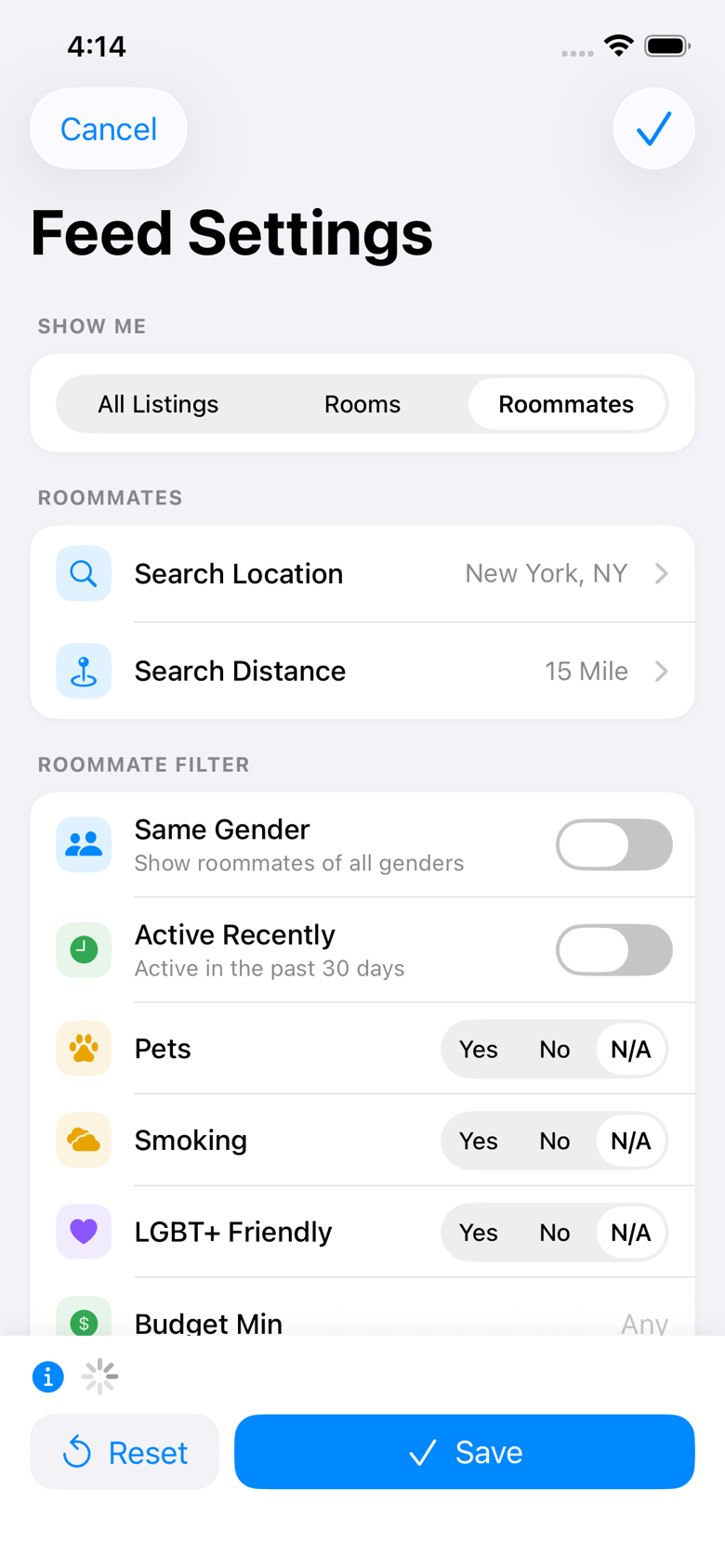
Look at the count above the buttons at the bottom.
It tells you how many listings match your settings right now, and it updates as you change them. Below five it also says so. Watch it while you work through the rest of this, and you will see which change is the one that matters.
Tap Search Distance, then drag Search Radius up.
The radius goes from 1 to 50 miles. Somewhere quiet, a few miles will find nobody at all, so push it well past what feels reasonable and bring it back once you can see people.
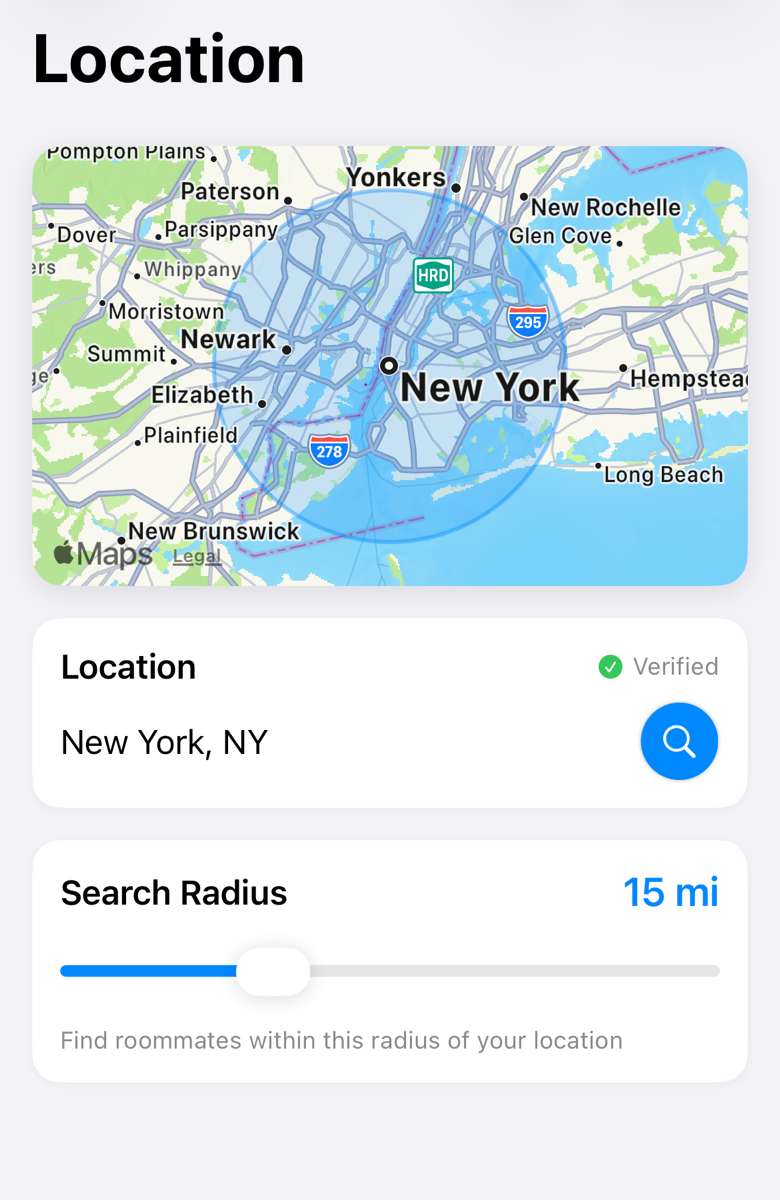
While you are there, check Search Location is the right city.
Roomie searches around this saved place, not around wherever your phone is. If you have moved, or set it up before you knew where you were going, this is often the whole problem.
Back on Feed Settings, tap Reset to clear your filters.
Reset is the small button next to Save at the bottom. It clears every filter on both the roommate and the rooms side in one tap: pets, smoking, budget, age, gender, LGBT+ friendly, furnished, lease length, move-in date, and the confirmed-listings-only switch.
Tap Save.
Your feed reloads with the new settings once you close the screen.
Reset does not touch your search location or your search radius. If a small radius was the problem, clearing the filters will not fix it, and the feed will still look empty. Change the radius separately.
Filters are stricter than they look. Setting Pets to Yes hides every listing that left the pets question blank, not only the ones that said no. That is why clearing the lot and adding back only what you truly need finds so much more than tightening one at a time.
Active Recently only shows people who have opened Roomie in the past 30 days. It is a sensible filter in a busy city and an empty one somewhere quiet.
If the count is still low with no filters and a 50 mile radius, your area genuinely is quiet rather than misconfigured. Set your location to the nearest larger city, or to where you are moving to, and try again.
Still stuck? Get in touch and we'll help.